
How to Turn an Old Phone into an Ambient Desk Water Drinking Companion
Stay hydrated effortlessly during long work hours. Repurpose an old smartphone into an ambient desk water companion with interactive mascots and one-tap logging.
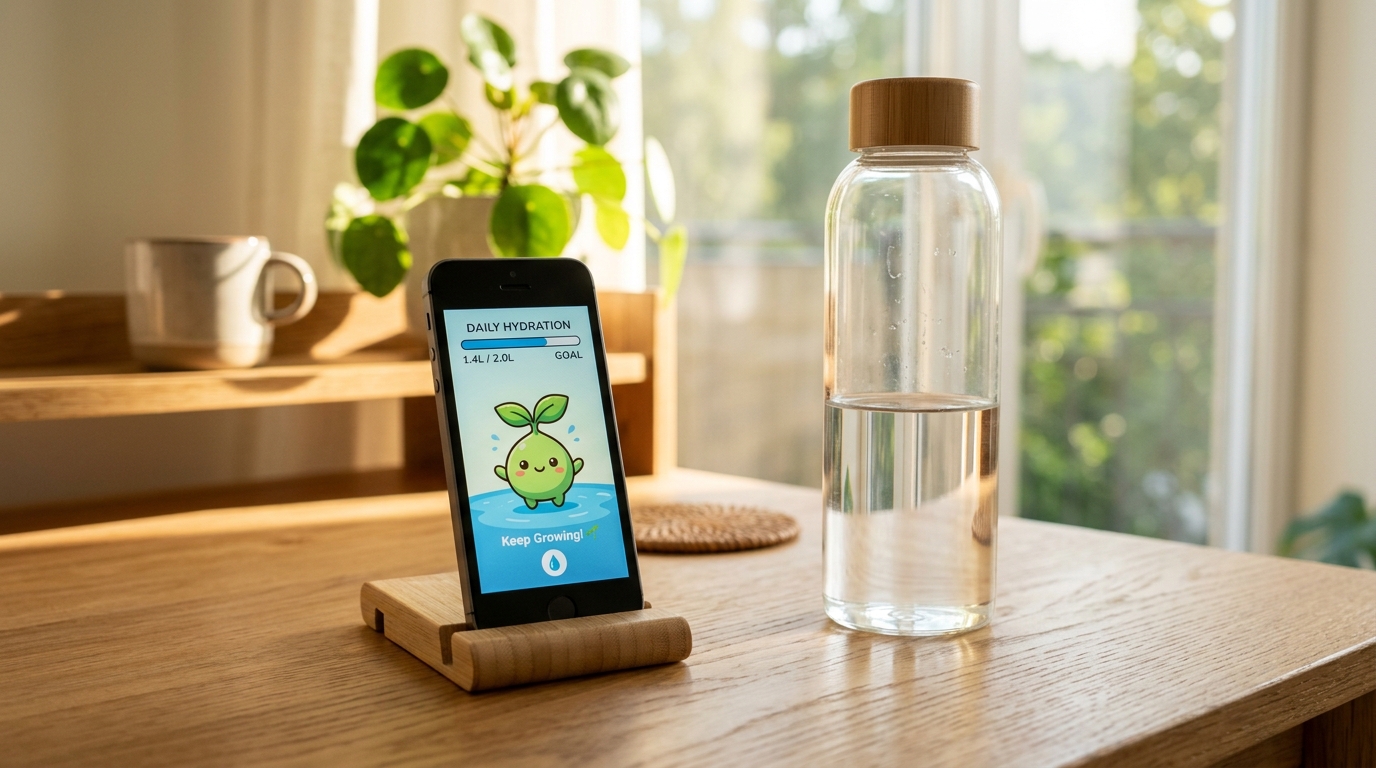
The Afternoon Brain Fog You Keep Blaming on Coffee
It is 2:30 PM. Your eyes feel gritty, your temples throb with a faint dull ache, and your focus has completely unraveled. Like most knowledge workers, you reach for another espresso or an energy drink, assuming you are suffering from afternoon burnout.
In reality, clinical research published in the Journal of Nutrition demonstrates that mild dehydration of just 1% to 2% of body mass significantly impairs cognitive speed, working memory, and mood. While you think you are mentally exhausted, your brain cells are simply crying out for a glass of water.
Most of us have tried to fix this with smartphone apps or hourly chime reminders. But within three days, those loud chirps become irritating interruptions during Zoom meetings or deep focus blocks. We swipe the banner away, promise ourselves we will drink later, and promptly forget.
The true secret to staying hydrated at your desk is not harsh alarms: it is placing a gentle, charming visual companion right next to your water tumbler.
Why an Upcycled “Water Companion” Changes Everything
By dedicating an older, retired smartphone to serve exclusively as a Desk Water Companion, you transform a mundane biological necessity into a delightful daily micro-ritual.
- Ambient Visual Prompts Instead of Jarring Sounds: Sitting quietly in your peripheral vision, the display gently animates without blaring alarms or vibration buzzes that shatter your concentration.
- Interactive Mascot Progression: Whether you choose the blossoming Little Sprout, a serene Bonsai, or an adorable Water Slime, your desk pet visibly thrives as you hit your hydration milestones throughout the day.
- Effortless One-Tap Logging: Whenever you take a sip from your cup, a single tap (+250 ml) fills the virtual reservoir with a satisfying liquid wave.
- Immediate Browser Setup: The experience runs entirely within the web browser at Updrawer Water Companion—no app stores, no forgotten passwords, and no in-app purchases.
4 Steps to Build Your Desk Hydration Station
Setting up your smart water tracker takes less than two minutes:
Step 1: Dust Off an Unused Phone
Any spare iPhone (iOS 11+) or Android phone (Android 6+) will work wonderfully. Wipe down the screen, plug it into a standard charger on your desk, and connect to Wi-Fi.
Step 2: Open the Smart Display in Your Browser
Launch Safari or Chrome and go to https://updrawer.com/app/hydration. The page loads instantly with a clean, tranquil water reservoir interface.
Step 3: Choose Your Companion & Set Daily Volume
Set your daily target (standard recommendations hover around 2,000 ml to 2,500 ml for desk workers). Pick the mascot style that best fits your workspace aesthetic—from playful pixel art to minimalist water vessels.
Step 4: Add to Home Screen & Mount Beside Your Cup
Tap the browser Share icon and select “Add to Home Screen” to hide all browser bars and achieve a true smart hardware appearance. Rest the phone on a compact wooden stand right next to your favorite water tumbler or thermos.
Daily Hydration Habits for Peak Mental Clarity
- The Morning 500ml Kickstart: Drink a full glass of water within ten minutes of sitting down at your desk. Tap the +250ml button twice to give your companion an instant morning boost.
- Pair Sips with Focus Breaks: Whenever you finish a 25-minute Pomodoro cycle or send a major email, drink three generous sips.
- Keep Fresh Water Within Arm’s Reach: Place your water bottle in physical contact with your phone stand so reaching for one naturally prompts the other.
By breathing new life into an idle smartphone, you keep toxic electronics out of landfills while nurturing a healthier, more energizing daily work routine.
Further Reading & Sources
- Armstrong, Lawrence E., et al. “Mild Dehydration Affects Mood in Healthy Young Women.” The Journal of Nutrition, vol. 142, no. 2, 2012, pp. 382–388.
- Popkin, Barry M., et al. “Water, Hydration, and Health.” Nutrition Reviews, vol. 68, no. 8, 2010, pp. 439–458.
- United Nations Institute for Training and Research (UNITAR). Global E-waste Monitor 2024. ewastemonitor.info.
Related Articles
I Tried 30 Days of Slow Living With My Desk. Here's What Actually Changed.
A personal experiment inspired by Cal Newport's Digital Minimalism: 30 days of redesigning a workspace to remove friction and distraction. What worked, what didn't, and what stayed.
5 DIY Phone Stands You Can Make Right Now From Things Already in Your Home
You don't need to buy anything. These five clever phone stand ideas use materials most people already have at home — and they work surprisingly well for repurposed desk displays.
Rescue Your Old Phone From the Drawer
Don't let your old device gather dust. Turn your longtime companion into an aesthetic desk clock, calendar & smart display with just one click.