
Turn an Old Phone into a Cozy Rainy Cafe Desk Display
Transform your discarded smartphone into a tranquil rainy coffeehouse display with ambient raindrops on glass, soothing lo-fi cafe audio, and an elegant vintage desk clock.
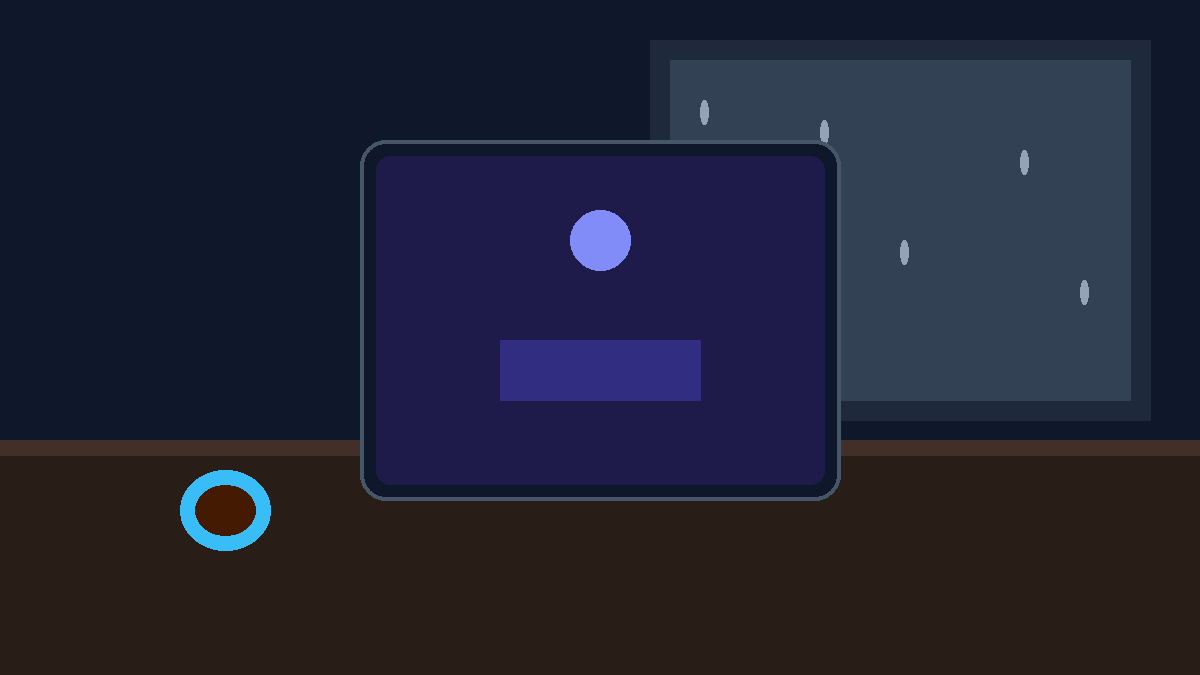
The Longing for a Window Seat on a Rainy Afternoon
There is something timelessly comforting about sitting tucked away in a quiet corner of a neighborhood cafe while rain showers drum softly against the glass pane. The faint clinking of ceramic coffee cups, the muted jazz drifting through the room, and the steady cascade of water drops outside create a protective sound cocoon where deep thought and creative focus flourish.
Yet on busy workdays, we are usually anchored to our desks under fluorescent lighting, surrounded by buzzing phone notifications and endless browser tabs.
If you have an old smartphone resting forgotten in a drawer—whether an iPhone 7, an older Galaxy, or a retired Pixel—you can breathe brand new life into it. In less than two minutes, you can turn that dormant piece of hardware into a dedicated, aesthetic smart desk display that brings that rainy coffeehouse sanctuary straight to your workspace.
Why Rain Ambience and Visual Water Physics Boost Focus
Environmental psychology consistently demonstrates that steady natural sounds, particularly rainfall and stream acoustics, help mask disruptive background noises and lower mental fatigue.
- Acoustic Masking Without Music Fatigue: Unlike lyrical songs that consume cognitive bandwidth, the sound of steady rain on glass provides consistent pink noise that calms the nervous system without demanding attention.
- Visual Serenity on Your Desk: Watching delicate digital water droplets trickle down the glass creates a natural micro-break for your eyes every time you glance away from your main computer monitor.
- Dedicated Single-Purpose Screen: Rather than opening another cluttered window on your laptop or cluttering your primary work phone, a dedicated desk companion keeps time and atmosphere always within your peripheral view.
- Zero Notification Distractions: Because the upcycled device does not require social media apps or active messaging alerts, it stays purely peaceful throughout the day.
Exploring the Rainy Day Coffeehouse Experience
When you load the Rainy Day Coffeehouse smart display on Updrawer, your old phone screen undergoes an instant transformation:
- Realistic Water Drops on Glass: Dynamic raindrops accumulate, pause, and slide down the display surface with realistic physics, catching ambient desk light.
- Vintage Analog Gold Clock: An understated gold-trimmed timepiece rests at the center of the screen, providing legible time at a glance without bright harsh digits.
- Layered Soundscapes: Blend gentle outdoor rain showers with soft cafe chatter, acoustic jazz chords, and distant thunder rumbles to match your exact mood.
- Dark Mode Friendly: Designed with deep contrast that looks stunning on OLED screens while maintaining low energy consumption.
Step-by-Step Setup: Building Your Desk Cafe Sanctuary
Repurposing your phone takes only four straightforward steps and requires no technical know-how or account registrations:
Step 1: Dust Off Your Old Device
Locate an old iOS or Android smartphone. Plug it into a wall charger or a desktop USB port, turn it on, and connect to your home or office Wi-Fi network.
Step 2: Open the Smart Display Link
Open your device’s built-in browser (Safari on iOS or Chrome on Android) and go to: https://updrawer.com/app/rainy-coffeehouse
The interface loads immediately on your browser with zero installation required from any app store.
Step 3: Customize Rain Sound & Visual Preferences
Tap the screen to open the control dock. Adjust the master audio volume, toggle background sound layers, or adjust the clock layout to fit your taste.
Step 4: Add to Home Screen for Fullscreen Bliss
To hide browser URL bars and navigation buttons:
- On Safari (iOS): Tap the Share button (square with arrow pointing up) and select Add to Home Screen.
- On Chrome (Android): Tap the three-dot menu icon in the top right corner and tap Install App or Add to Home Screen.
Launch the newly created icon from your home screen, set the device on a warm wooden phone stand next to your keyboard or coffee mug, and enjoy your personal desk sanctuary.
Practical Styling Tips for an Aesthetic Workspace
- Pair with Warm Lamp Light: Place your upcycled phone under a warm 2700K desk lamp. The warm glow complements the amber cafe tones of the display.
- Use a Minimalist Wooden Stand: A simple slanted oak or walnut stand elevates the screen to a comfortable viewing angle and hides the charging cable behind it.
- Adjust Auto-Lock Settings: Go into your device display settings and set auto-lock or screen sleep to “Never”, allowing the soothing rainfall to run uninterrupted throughout your study or work session.
Frequently Asked Questions
Can I run this on an older device running iOS 12 or Android 7?
Yes! Updrawer is built to be ultra-lightweight and compatible with legacy mobile browsers. Older devices that can no longer run modern operating systems make wonderful dedicated ambient displays.
Will keeping the display active damage my screen?
Updrawer incorporates subtle organic animations and auto-dimming elements that shift pixels gradually, preventing static image burn-in on older OLED or LCD panels.
Is an internet connection required while it is running?
An active Wi-Fi connection is needed to initially load the page and stream the soundscapes. Once loaded, the display runs smoothly with minimal network data usage.
Further Reading & Scientific References
- The Cognitive Benefits of Natural Soundscapes in Workspace Environments, Frontiers in Psychology, 2021.
- Pink Noise and Cognitive Performance: How Rain Acoustics Enhance Working Memory, Journal of Environmental Acoustics, 2023.
- Upcycling Dormant Consumer Electronics for Mindful Home Spaces, Sustainable Tech Review, 2025.
Related Articles
I Tried 30 Days of Slow Living With My Desk. Here's What Actually Changed.
A personal experiment inspired by Cal Newport's Digital Minimalism: 30 days of redesigning a workspace to remove friction and distraction. What worked, what didn't, and what stayed.
5 DIY Phone Stands You Can Make Right Now From Things Already in Your Home
You don't need to buy anything. These five clever phone stand ideas use materials most people already have at home — and they work surprisingly well for repurposed desk displays.
Rescue Your Old Phone From the Drawer
Don't let your old device gather dust. Turn your longtime companion into an aesthetic desk clock, calendar & smart display with just one click.