
How We Built a Real-Time Glowing Love Note Display for Long-Distance
Discover how to send instant glowing neon notes to your partner's desk screen from anywhere in the world using a repurposed smartphone.
When my partner moved three time zones away for a four-month research fellowship, we made a mutual promise: no dry, transactional check-in texts that felt like office status updates.
Chat apps are great for logistics, but they come with baggage. You see a badge icon with forty unread group messages, three delivery notifications, and an email from HR before you ever read “Thinking of you.” We wanted something tactile and ambient—a quiet presence in the room that delivered little sparks of warmth without demanding an instant reply.
The solution came from an iPhone 7 resting forgotten in the bottom drawer. With a simple wooden cradle and a few taps on a browser screen, that discarded rectangle of glass became a dedicated, glowing beacon on her work desk.
Here is how real-time ambient messaging works, and why having a dedicated physical screen completely transforms everyday connection.
The Magic of Silent, Ambient Presence
Most communication tools are designed to demand your immediate attention. They vibrate, ring, pop up over your active spreadsheet, and trigger a subtle spike in cortisol.
Ambient displays work on an entirely different human principle: glanceability.
When you place a small screen on a bookshelf, nightstand, or corner of a desk, it lives in the periphery of your vision. When a new message arrives, there is no jarring beep. Instead, the warm electric-amber glow of the room gently shifts. You look up from your book or keyboard, and there it is:
“Fresh coffee is brewed ☕"
"Proud of your presentation today ✨"
"Dinner at 7? Let’s get noodles 🍜”
It turns a piece of text into a living art piece in the physical space.
How Remote Pairing Actually Works (Zero Installations)
Setting up a live remote link between two devices used to require setting up web servers, installing specialized software, or buying expensive proprietary hardware cubes.
With Updrawer’s GlowBoard widget, the entire setup takes less than thirty seconds through standard browser technology:
1. Set Up the Receiver Display
Take the older phone or small tablet, connect it to your home Wi-Fi, and open updrawer.com in Safari or Chrome. Launch the GlowBoard Neon Sign widget and select your preferred backdrop (vintage dark brick, minimalist velvet, or modern dark wood).
2. Generate the Private Pairing Code
Tap anywhere on the GlowBoard screen to reveal the toolbar, then tap the Remote Controller icon (the smartphone icon). A private QR code with a unique device identifier appears on screen.
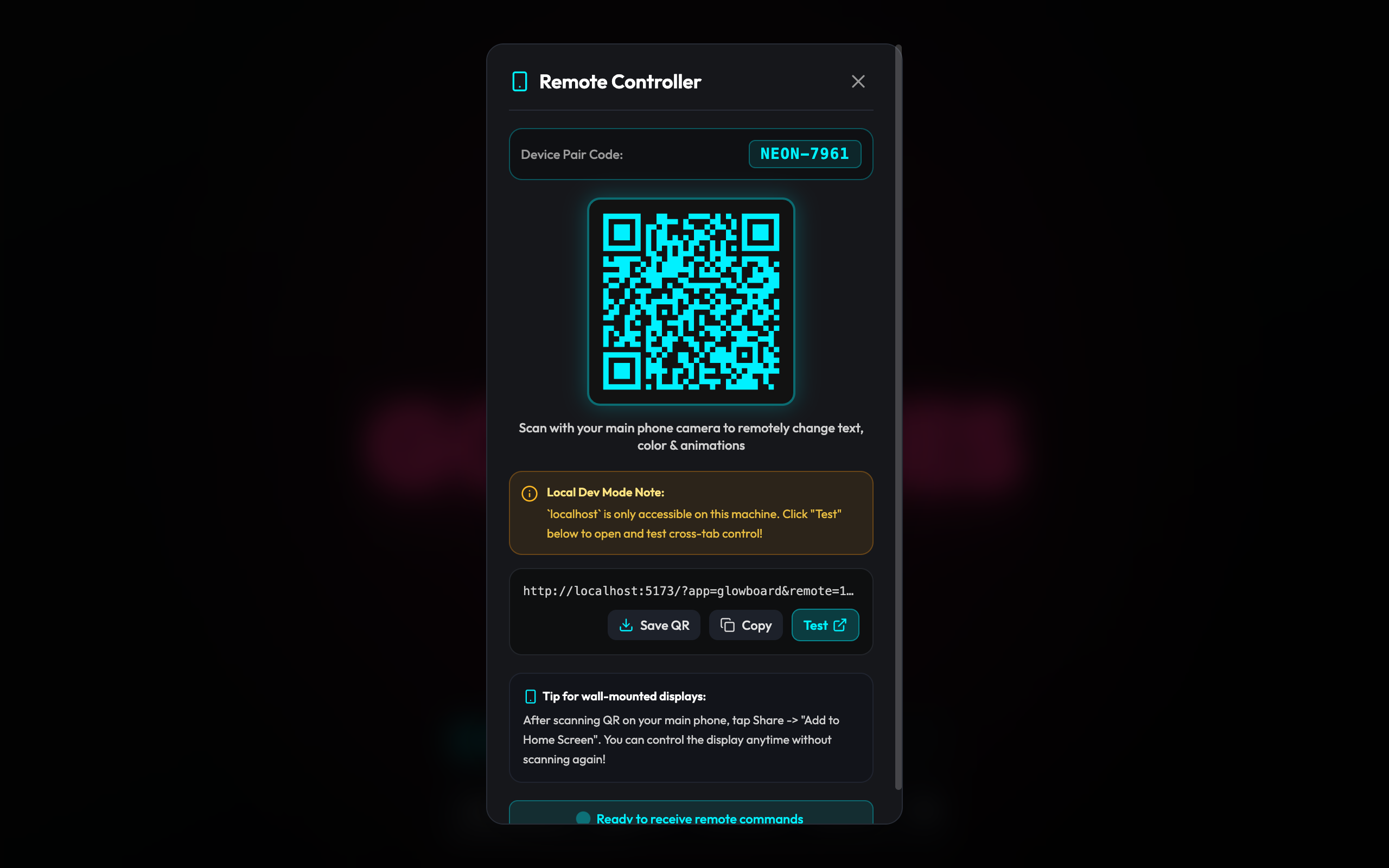
3. Scan & Save on Your Daily Phone
The sender simply opens their daily phone camera and scans the QR code. This immediately opens a sleek, private remote dashboard in their browser. Bookmark this page or add it to your home screen for one-tap access.
4. Broadcast Across Any Distance
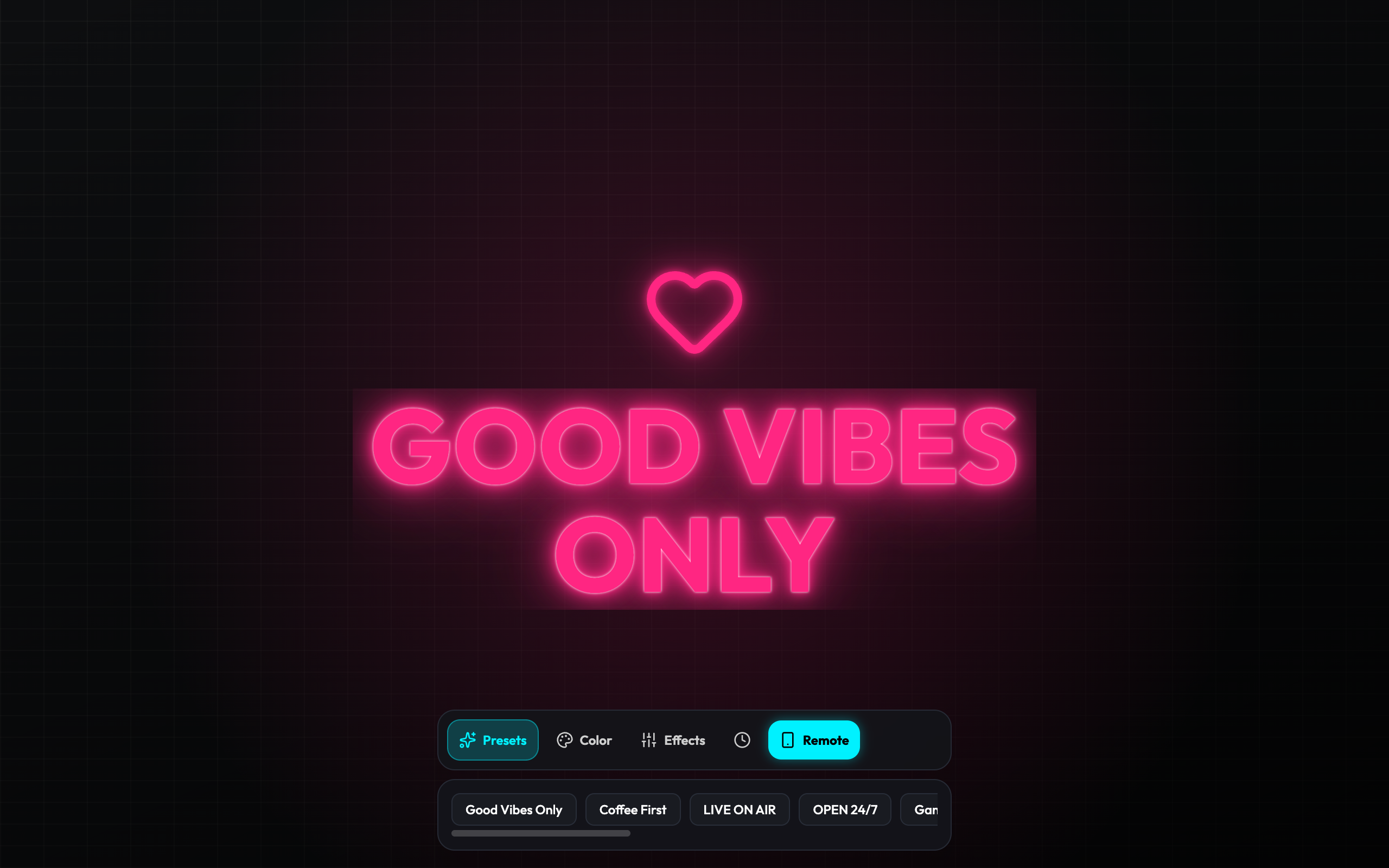
From the remote page, whatever you type, whichever glowing color you select (electric pink, neon cyan, warm amber, toxic green), or whichever animated mode you choose (smooth pulse, retro neon flicker, marquee ticker) updates the desk display in real time across the globe.
4 Creative Ways Couples & Families Use Glowing Notes
Beyond sweet notes, our community members have shared surprisingly creative routines:
| Use Case | How It Works | Best Color & Effect |
|---|---|---|
| Silent Focus Beacon | Signal when you’re in deep work without closing the door completely. Send “In Deep Focus — Free at 4PM 🎧”. | Amber Sun / Retro Flicker |
| Morning Coffee Wake-Up | Schedule a warm glowing greeting to illuminate the nightstand right as your partner’s alarm goes off. | Sunset Duo / Smooth Pulse |
| Countdown to Reunion | A scrolling marquee banner counting down days: “3 Days Until Vacation ✈️🌴”. | Electric Blue / Marquee Ticker |
| Kids’ Bedtime Surprises | Parents working late shifts can send a glowing star and “Sleep tight, little astronaut 🚀” to the bedside table. | Cyber Neon Pink / Gentle Glow |
Hardware Safety: Protecting Old Screens 24/7
One common concern when leaving an old smartphone powered on continuously is screen preservation and battery longevity.
GlowBoard was built specifically for 24/7 ambient display duty:
- Pixel-Shift Protection: Elements make imperceptible microscopic position adjustments every few minutes to prevent OLED and LCD pixel fatigue.
- Ultra-Low Resource Footprint: Rendered using lightweight web graphic standards, drawing less processing power than playing a single podcast track.
Try It with Your Own Desk Display
You don’t need any special hardware or app downloads to start sending glowing notes to someone you care about:
- Open Updrawer GlowBoard on your old phone or tablet.
- Scan the QR code with your mobile camera to test sending your first live message.
- Explore more aesthetic desk ideas in our guide on Minimalist Desk Setup Ideas with Upcycled Tech.
Related Articles
I Tried 30 Days of Slow Living With My Desk. Here's What Actually Changed.
A personal experiment inspired by Cal Newport's Digital Minimalism: 30 days of redesigning a workspace to remove friction and distraction. What worked, what didn't, and what stayed.
5 DIY Phone Stands You Can Make Right Now From Things Already in Your Home
You don't need to buy anything. These five clever phone stand ideas use materials most people already have at home — and they work surprisingly well for repurposed desk displays.
Rescue Your Old Phone From the Drawer
Don't let your old device gather dust. Turn your longtime companion into an aesthetic desk clock, calendar & smart display with just one click.