
Repurpose an Old Phone into a Dedicated Bedside Sleep Station & Night Clock
Kick phone-induced insomnia out of your bedroom by turning an old smartphone into a dedicated bedside sleep station with soothing nature soundscapes, a circadian-friendly OLED night clock, and an automatic sleep timer.
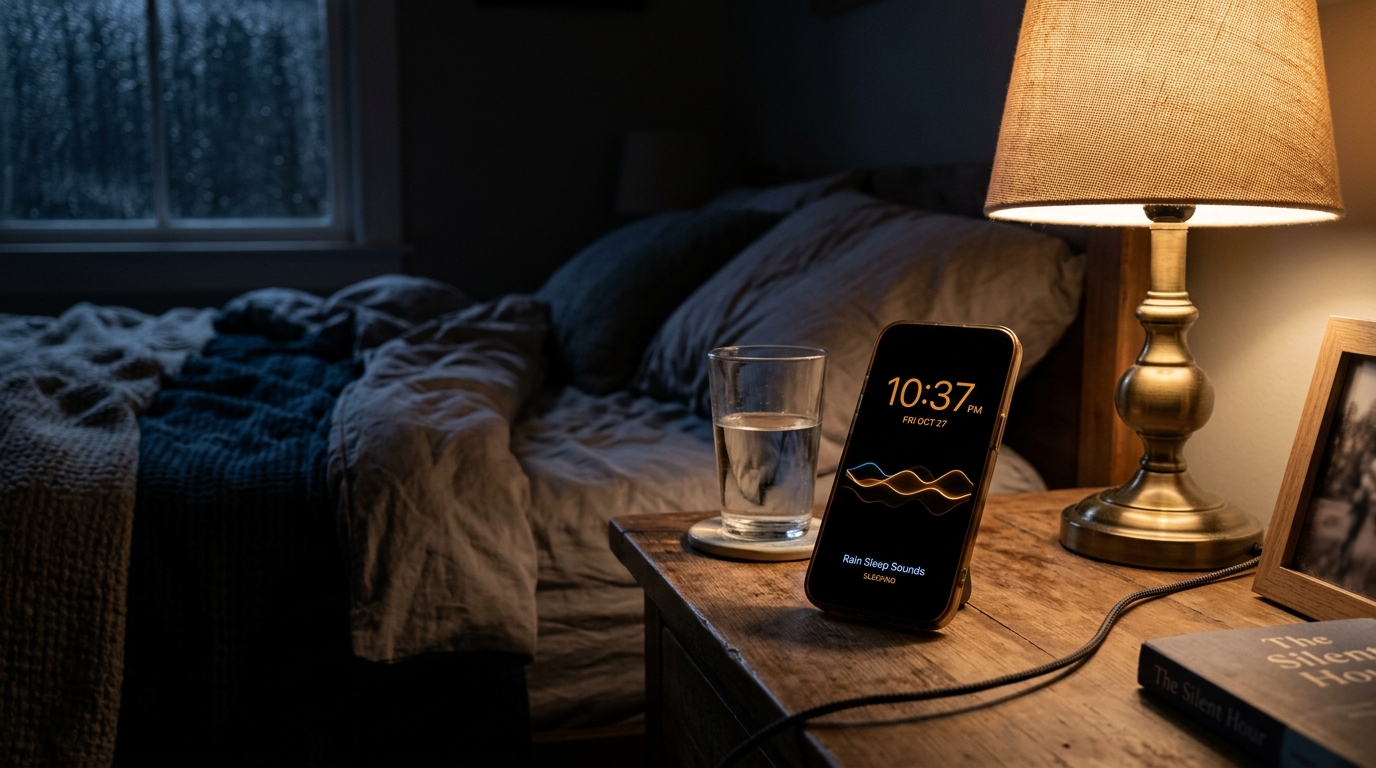
The Bedroom Smartphone Dilemma: Wired and Awake at Midnight
It is an all-too-familiar bedtime scenario: You crawl under the blankets exhausted from a demanding day, intend to set your morning alarm, and spot a notification banner. You check one message, glance at an email preview, and before you realize what has happened, you have spent 45 minutes tumbling down a rabbit hole of algorithmic video feeds and news headlines.
Even when you finally place your phone on the bedside table, your nervous system remains on high alert. Research from Harvard Medical School and the National Sleep Foundation reveals that the blue spectrum light emitted by modern screens delays the natural release of melatonin, while the subconscious anticipation of incoming notifications keeps the brain in a heightened state of vigilance.
The most effective sleep hygiene habit you can adopt is simple yet profound: charge your primary phone across the room or outside the bedroom entirely.
And to fill the void of a bedside clock and white noise machine without spending money on expensive sleep gadgets, you can repurpose an old retired phone from your drawer into a dedicated bedside sleep station and night clock.
Why a Single-Purpose Sleep Station Protects Your Sleep Hygiene
Replacing your active smartphone with a retired, single-purpose smart display delivers immediate biological benefits:
- Zero Midnight Temptations: Your old device has no active SIM card, messaging accounts, or social media apps. When you wake up at 2 AM to check the time, there are no unread red badges tempting your thumb.
- Circadian-Friendly Ambient Lighting: Unlike standard phone lock screens that blast your eyes with bright blue-white backlights, the display features a deeply dimmed red-amber night clock that protects your circadian rhythm.
- Sound Masking for Deep Rest: Gentle natural soundscapes—such as falling rain on autumn leaves, distant ocean swells, and summer night crickets—mask abrupt neighborhood noises and quiet racing thoughts.
- Gentle Sleep Timer Fade-Out: Audio naturally subsides over 30 to 90 minutes so you fall asleep enveloped in comfort without having sound run throughout the entire morning.
What the Sleep Station Experience Offers
When you launch the Sleep Station smart display on Updrawer, your old phone becomes an intuitive sleep sanctuary:
- Curated Multi-Layer Soundscapes: Freely mix and balance continuous rain showers, ocean shore waves, evening forest crickets, crackling campfire logs, and soothing brown noise.
- Ultra-Dim OLED Night Clock: Large, legible numerals glow with a warm amber or crimson tint on a true-black background, completely readable across the room without illuminating the ceiling.
- Built-In Sleep Timer: Choose between 15, 30, 45, 60, or 90-minute countdowns with a gentle 3-minute audio volume ramp-down that avoids jarring acoustic cut-offs.
- Burn-In Protection: Subtle microscopic clock displacement operates silently in the background, keeping older displays completely safe from pixel retention.
Step-by-Step Setup: Building Your Bedside Sanctuary
Setting up your dedicated sleep display requires zero technical knowledge and less than two minutes:
Step 1: Wipe and Prepare Your Old Phone
Retrieve an unused iPhone or Android phone. Remove any distracting apps, silence all system ringtones, and connect it to your bedroom Wi-Fi.
Step 2: Open the Smart Display Link
Open your mobile browser (Safari on iOS or Chrome on Android) and go to: https://updrawer.com/app/ambient-sleep
The tranquil sleep interface opens immediately with no account creation or app store downloads required.
Step 3: Blend Your Perfect Sleep Audio
Tap the screen to open the sound mixer. Choose your favorite nature layers (like rain combined with distant crickets), set your preferred volume, and select a sleep timer duration.
Step 4: Add to Home Screen for Fullscreen Zen
To make the screen look like a purpose-built bedside appliance:
- On iOS (Safari): Tap the Share button and select Add to Home Screen.
- On Android (Chrome): Tap the three-dot menu and select Add to Home Screen.
Launch the icon from your home screen, set the device on a small bedside stand, plug in the charging cable, and banish your primary phone to the living room or desk.
Nightstand Styling Tips for Restorative Sleep
- Position Just Out of Direct Eye Line: Angle the phone slightly away from your pillow so the clock numbers are visible when you turn your head, but not shining directly into your closed eyelids.
- Keep Cable Clutter Hidden: Route the charging cable behind your nightstand drawer or use a small cable clip to keep your sleeping space calm and uncluttered.
- Charge Your Primary Phone Outside: Establish a strict boundary by plugging your daily smartphone into a charging dock in the hallway or home office before getting into bed.
Frequently Asked Questions
Can I run this on an old phone with a degraded battery?
Yes. Since the sleep station remains plugged into a standard wall charger on your nightstand, a degraded battery will not impact its functionality. Furthermore, the lightweight code keeps CPU load minimal, ensuring the battery stays cool.
Is an internet connection required while I sleep?
Wi-Fi is only required to load the page initially. Once the sound loops and night clock load into your browser cache, the display operates reliably without continuous high-speed bandwidth.
Can I use wired earphones or a small Bluetooth speaker?
Yes. You can output the soothing soundscapes through your phone’s built-in speakers, a small bedside Bluetooth speaker, or comfortable sleep headband headphones.
Further Reading & Scientific References
- The Impact of Bedside Smartphone Proximity on Sleep Quality and Melatonin Suppression, Harvard Medical School Sleep Health Review, 2022.
- Brown Noise and Natural Soundscapes in Chronic Insomnia: A Randomized Trial, Journal of Sleep Research, 2023.
- Brain Drain: The Mere Presence of One’s Own Smartphone Reduces Available Cognitive Capacity, Journal of the Association for Consumer Research, Ward et al., 2017.
Related Articles
I Tried 30 Days of Slow Living With My Desk. Here's What Actually Changed.
A personal experiment inspired by Cal Newport's Digital Minimalism: 30 days of redesigning a workspace to remove friction and distraction. What worked, what didn't, and what stayed.
5 DIY Phone Stands You Can Make Right Now From Things Already in Your Home
You don't need to buy anything. These five clever phone stand ideas use materials most people already have at home — and they work surprisingly well for repurposed desk displays.
Rescue Your Old Phone From the Drawer
Don't let your old device gather dust. Turn your longtime companion into an aesthetic desk clock, calendar & smart display with just one click.