
A Halloween Countdown Clock That Gets Spookier Every Night (and Greets Trick-or-Treaters)
Turn an old phone or tablet into a haunted-house countdown that changes as October 31 gets closer, then set it by the front door to count trick-or-treaters on Halloween night.
Halloween Is a Month, Not a Night
If you live with kids, you already know the question. It starts around October 1 and gets asked every evening: how many more days until Halloween?
Most Halloween decorations only have one setting. The plastic skeleton looks the same on October 3 as it does on the 31st, and by mid-month nobody notices it anymore. The fun part of Halloween, the slow build-up of costumes being planned and pumpkins being picked, never shows up anywhere in the house.
So we built a decoration that counts down. Updrawer’s Halloween Haunted Clock is one haunted house that changes as October goes on, answers the “how many days” question on its own, and on the big night turns into a doorstep greeter for trick-or-treaters. All it needs is an old phone or tablet and a charger.
A House That Gets Spookier as the Date Gets Closer
The scene follows the calendar, so you never have to change anything. Here is what you will see through the month:
- More than two weeks out: A dark house, one uncarved pumpkin on the step, only a few bats.
- The last two weeks: The pumpkins are carved and glowing, cobwebs appear on the porch, and more bats circle the moon.
- The night before: The windows light up and a silhouette paces behind the curtains. Two more jack-o’-lanterns join the step.
- October 31, before 6 PM: The line under the clock turns into a live countdown: Trick-or-treaters arrive in 2h 12m.
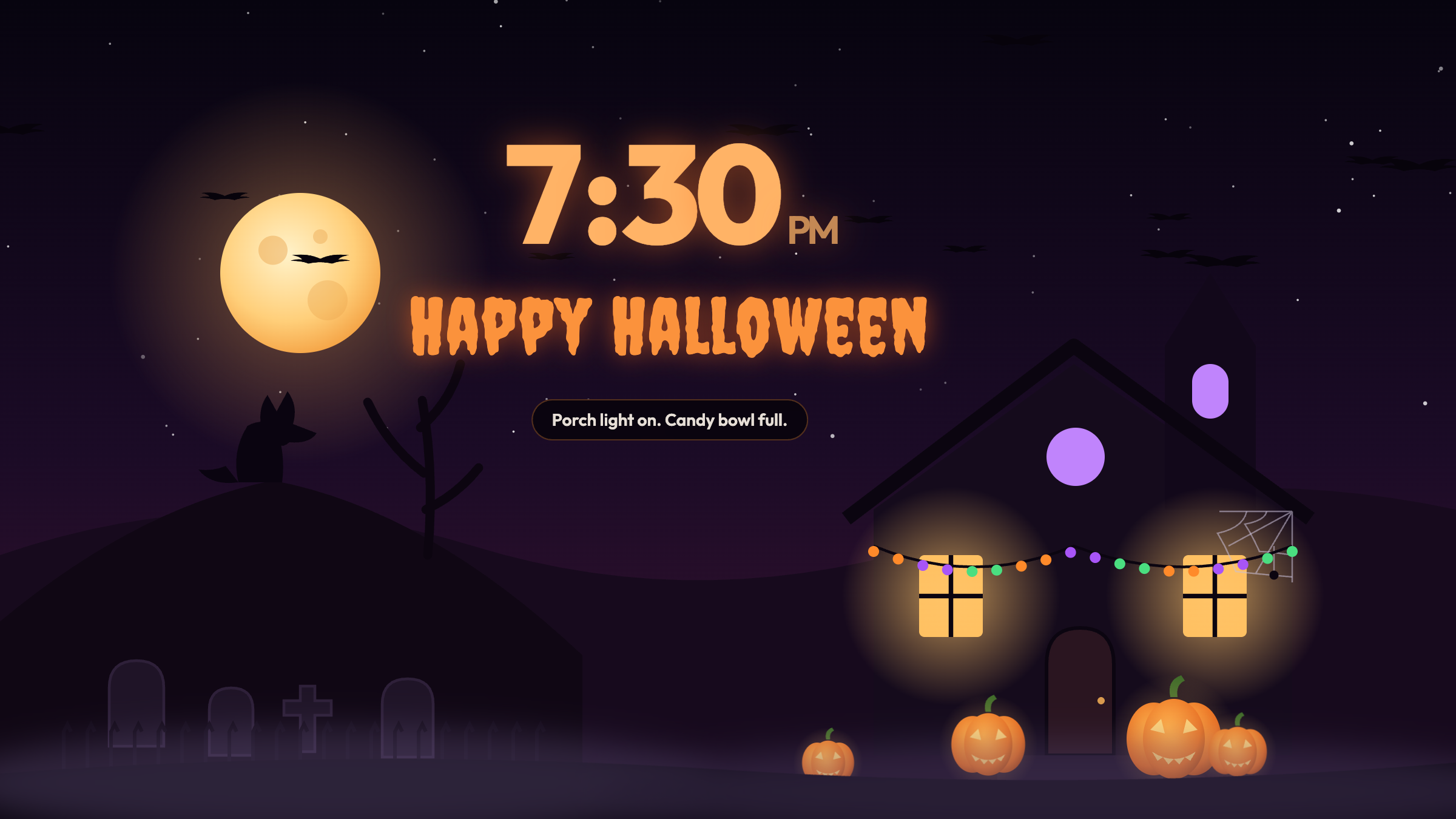
- Halloween night: Party mode. String lights cycle orange, purple and green, the upstairs windows glow purple, the sky fills with bats, and Happy Halloween appears under the clock.
- The first week of November: The morning after: candles out, a pumpkin tipped on its side, candy wrappers on the path, and See you next year.
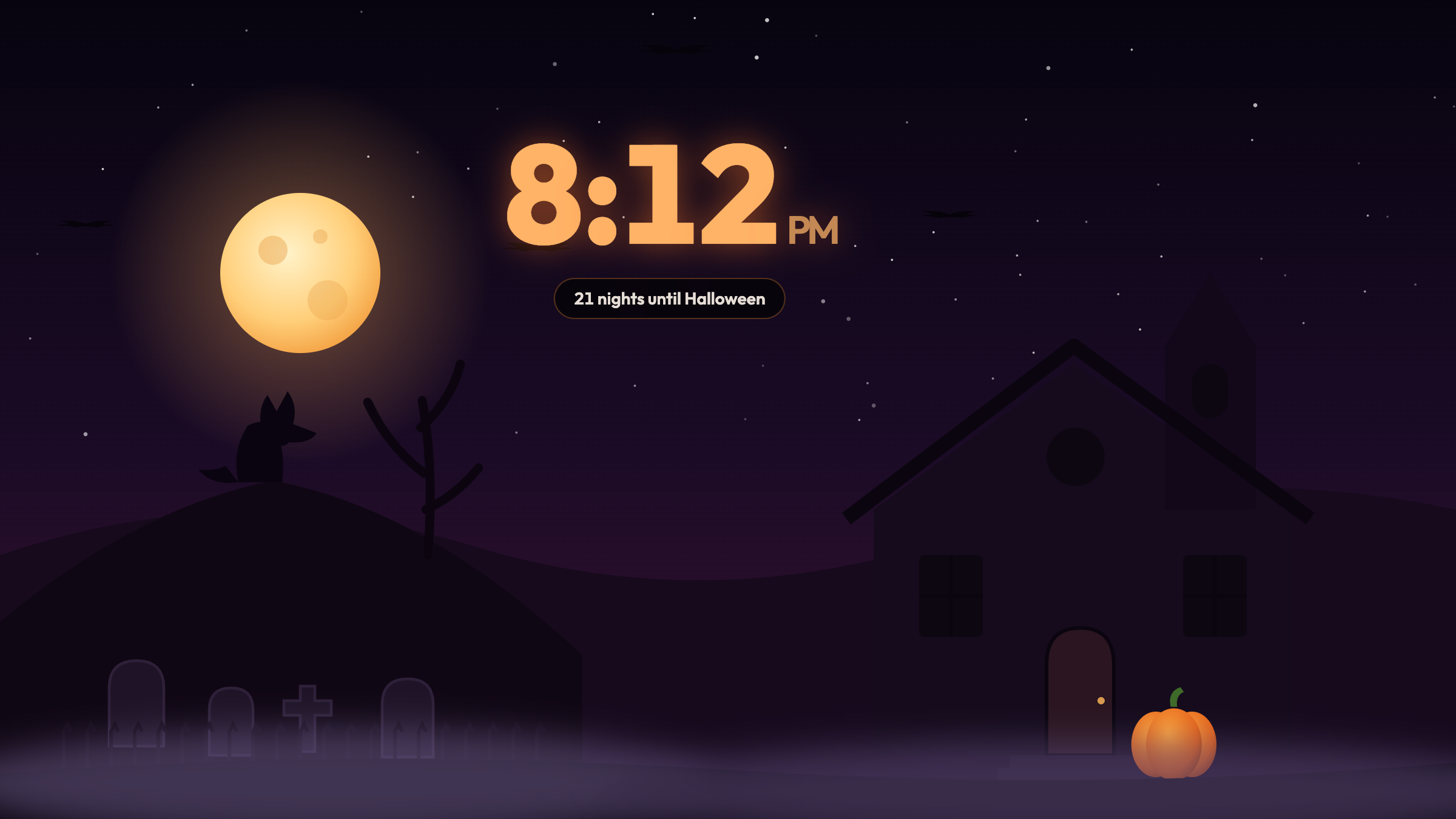
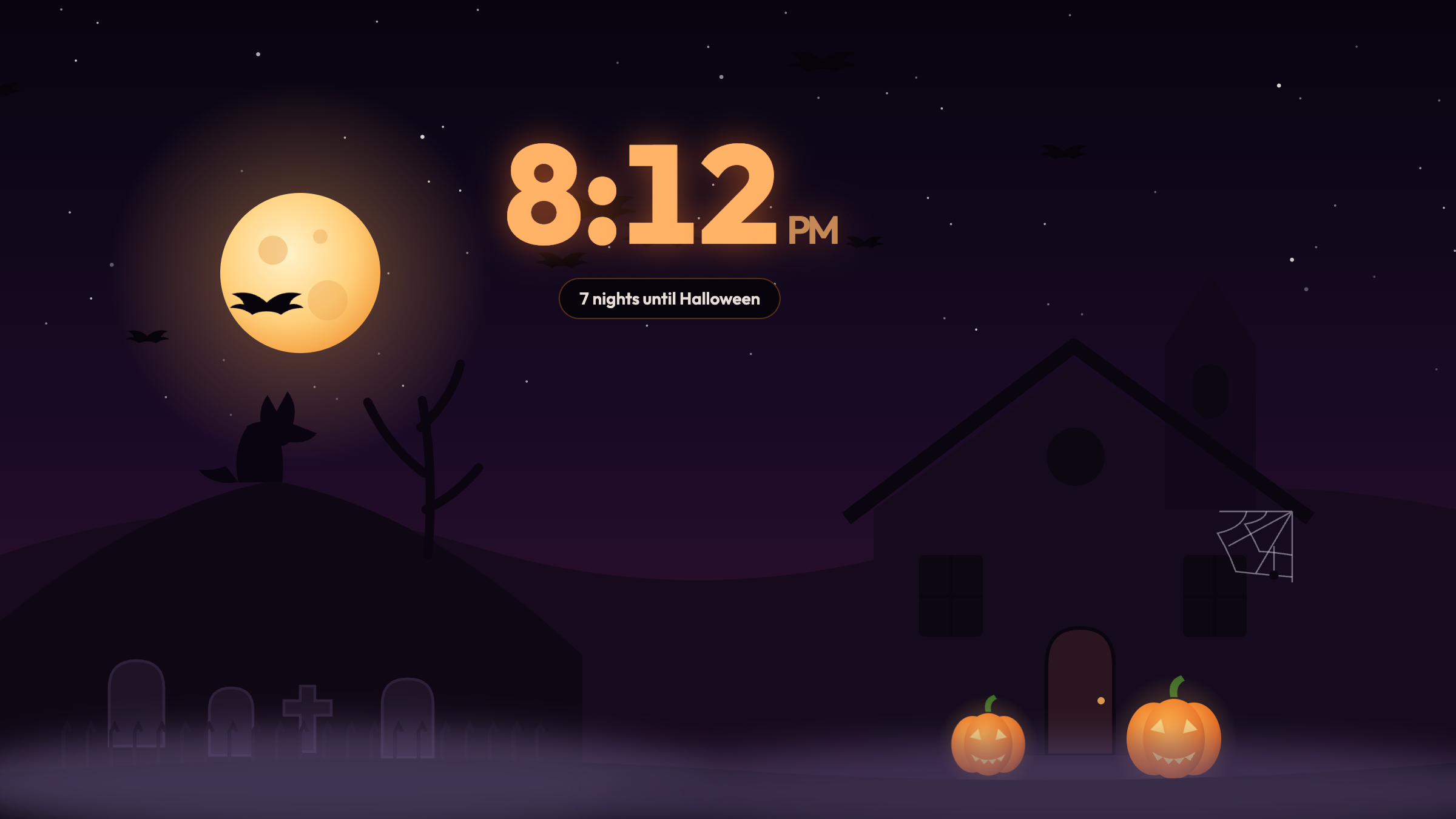
The difference between those two screenshots is the whole idea. Kids who walk past the screen every day get to see Halloween getting closer, and there is a small new detail to find every week or so.
Things That Happen Without Anyone Touching It
A few moments are tied to the clock rather than the calendar, which makes it a good screen to leave on in a living room or on a nightstand:
- The witching hour. From midnight to 3 AM the whole scene drains to a ghostly green, the fog gets thicker, and the clock changes color to match. (It skips this on Halloween night itself, when the party is still going.)
- A ghost on the hour. At the top of every hour a little ghost floats across the screen, with a quiet boo if sound is on.
- The witch. Every so often a witch on a broomstick crosses the sky.
Tap the Scene
Four things in the picture react when you tap them, and kids find all four within about a minute:
- The moon calls down a lightning bolt, a white flash, and rolling thunder.
- The front door creaks open, showing the warm light inside, then swings shut.
- The witch cackles as she flies past.
- The wolf on the hill throws its head back and howls.
The first time the clock opens, these four spots pulse gently a few times so nobody has to guess.
On October 31: Put It by the Door
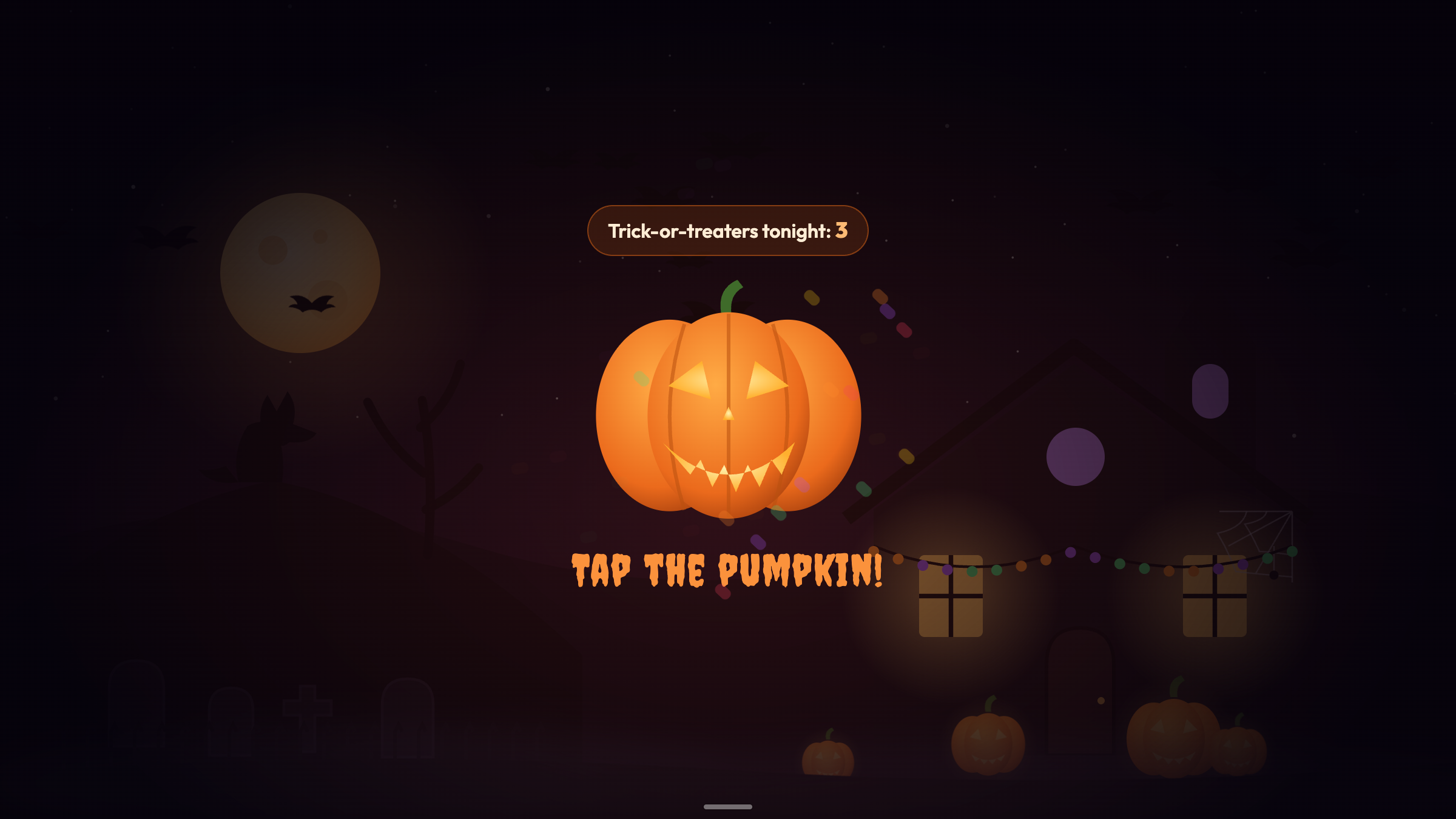
This is the part we are proudest of. On Halloween night, tap the small bar at the bottom of the screen to bring up the control bar, then tap Treat. The scene dims and a big jack-o’-lantern takes over the screen with one instruction: Tap the pumpkin!
Every tap makes the pumpkin wobble and laugh, sends a burst of candy-colored confetti across the screen, and adds one to the counter at the top: Trick-or-treaters tonight: 3.
A few setup tips from our own porch tests:
- A tablet works better than a phone here. The pumpkin is bigger and easier for small hands to hit.
- Keep it sheltered. Just inside the door, on a table next to the candy bowl, or behind a window kids can see through. Keep it out of the rain and out of reach of anyone who might walk off with it.
- Plug it in. Halloween night is long, and a screen at full brightness drains an old battery faster than you would expect.
- Turn Sound on from the same control bar. The laugh is half the fun.
- Read the number in the morning. The count is saved for the night, so you can check how many visitors you had before it starts again from zero the next day.
Tap Treat again to go back to the haunted house.
Make It Yours
Open Settings from the control bar to:
- Pick a color theme: Blood Moon (orange), Ghost Green, or Midnight (purple).
- Turn the bats or the fog off.
- Switch between 12-hour and 24-hour time.
- Use Preview the big day to jump straight to Halloween night or the witching hour, so you can try Treat mode before the 31st.
If you mostly want something atmospheric for your desk in October, we covered that angle in our Halloween desk setup guide.
Set It Up in Three Steps
- Wake up the old device. Plug it in and connect it to Wi-Fi.
- Open updrawer.com/app/halloween-clock in Safari or Chrome. For a full-screen view without the address bar, use Add to Home Screen from the share menu and open it from the new icon.
- Leave it running. The house takes care of the countdown. On the 31st, tap Treat and set it by the door.
Further Reading
- National Retail Federation — Halloween Data Center (nrf.com), for how Americans plan and celebrate Halloween each year.
- American Academy of Pediatrics — Halloween Safety Tips (healthychildren.org), worth a read before the trick-or-treat route is planned.
Related Articles
I Tried 30 Days of Slow Living With My Desk. Here's What Actually Changed.
A personal experiment inspired by Cal Newport's Digital Minimalism: 30 days of redesigning a workspace to remove friction and distraction. What worked, what didn't, and what stayed.
5 DIY Phone Stands You Can Make Right Now From Things Already in Your Home
You don't need to buy anything. These five clever phone stand ideas use materials most people already have at home — and they work surprisingly well for repurposed desk displays.
Rescue Your Old Phone From the Drawer
Don't let your old device gather dust. Turn your longtime companion into an aesthetic desk clock, calendar & smart display with just one click.