
A Christmas Countdown Clock With a Built-In Advent Calendar (Made From an Old Tablet)
A snowy-cabin countdown that ticks down to Christmas by the second, decorates itself through December, and opens one Advent door a day, on a phone or tablet you already own.
“How Many Sleeps Until Christmas?”
Every family with kids has a December ritual around that question. Some keep a paper chain and tear off a link each night. Some have a chocolate Advent calendar that is mysteriously empty by the 9th. Most of us just answer it out loud, again, every evening.
Updrawer’s Christmas Clock answers it for you, down to the second, on a spare phone or tablet. It also does the two things a paper chain cannot: the scene around the countdown slowly decorates itself as Christmas gets closer, and there is an Advent calendar built in, with one door that opens each morning.
A Countdown You Can Actually Watch
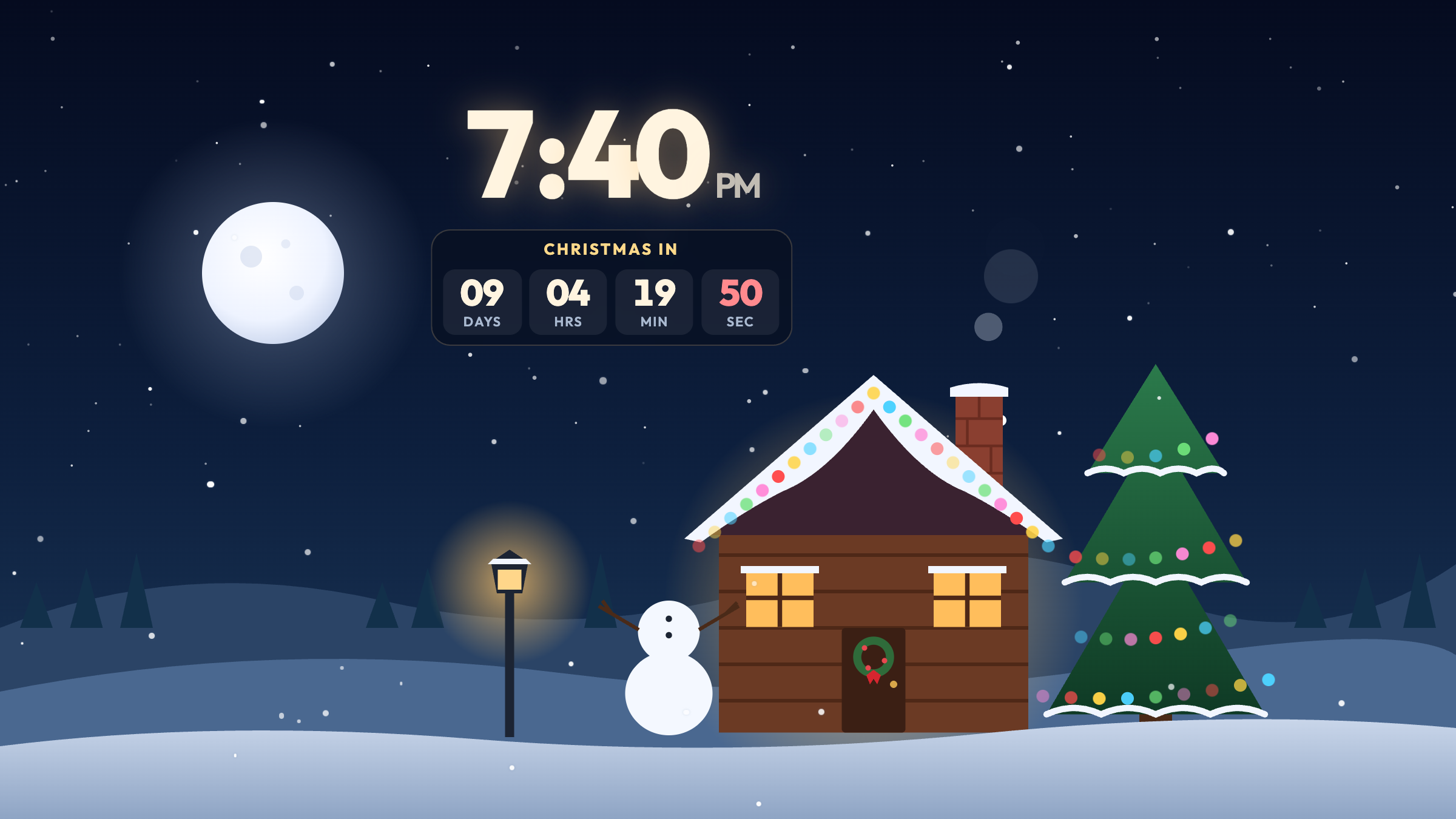
Under the clock sits a small card: Christmas in, then days, hours, minutes and seconds. The seconds tick in red, which turns out to be very watchable when you are seven.
It is designed to stay small. On a landscape screen it sits above the cabin’s roof without covering the scene, and you can turn it off in Settings if you just want the clock.
As the day gets closer, the card changes with it:
- On December 24 the days disappear and only hours, minutes and seconds are left.
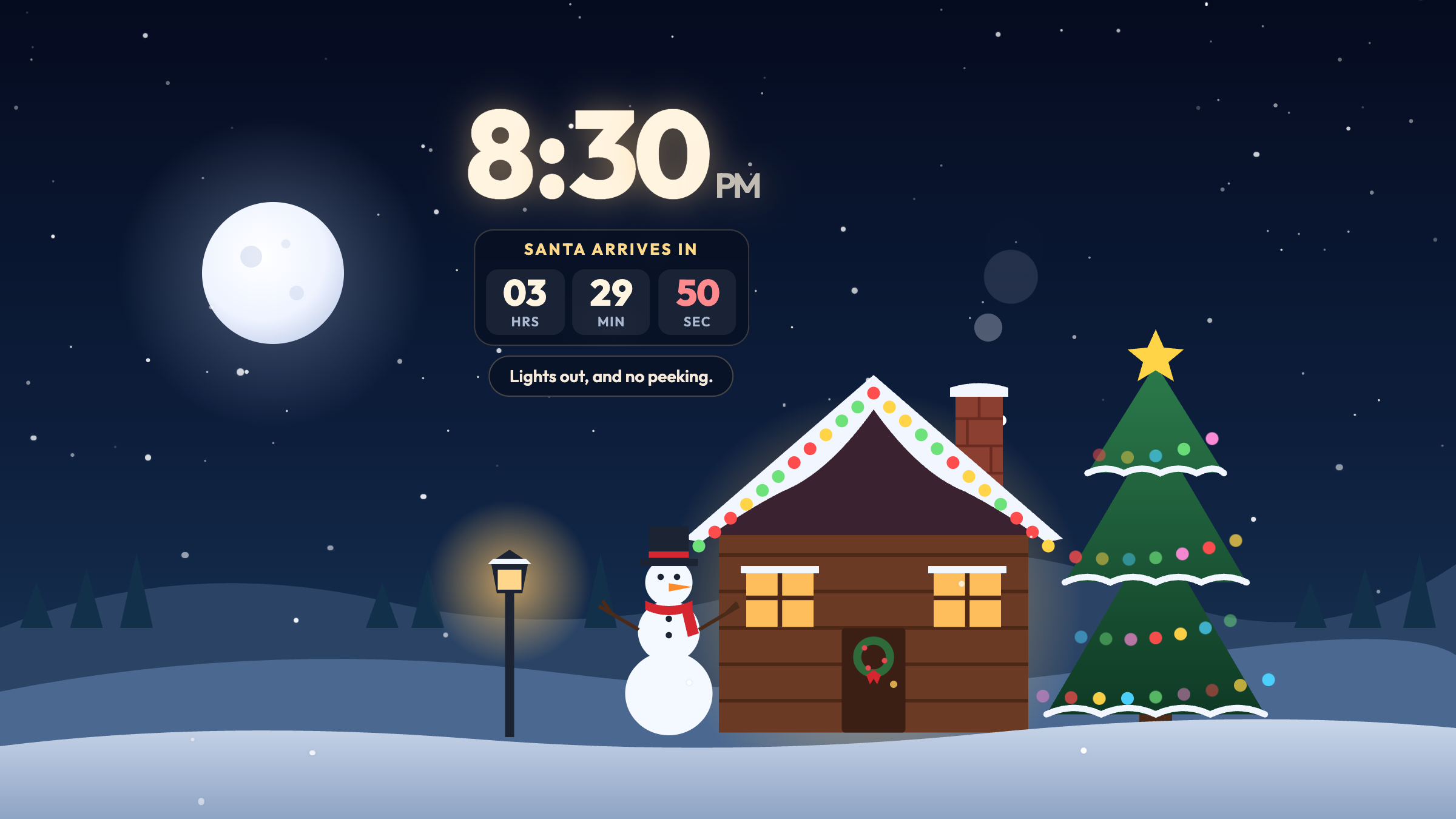
- From 6 PM on Christmas Eve the label changes to Santa arrives in, the roof lights start chasing colors, and the sleigh flies past the moon every half minute.
- In the last ten seconds the numbers pulse with each tick.
- At midnight the sleigh crosses the moon, the tree lights burst, and the screen turns into Christmas morning.
A Cabin That Decorates Itself Through December
You never have to change anything. The scene follows the calendar:
- More than two weeks out: A bare tree, a dark cabin, and a pile of snow with a carrot sticking out, waiting to be a snowman.
- The last two weeks: Lights on the tree and along the roof, a wreath on the door, smoke from the chimney, and two snowballs stacked up.
- December 24: A gold star on the tree, both windows lit, and the snowman finished with a top hat and a red scarf.
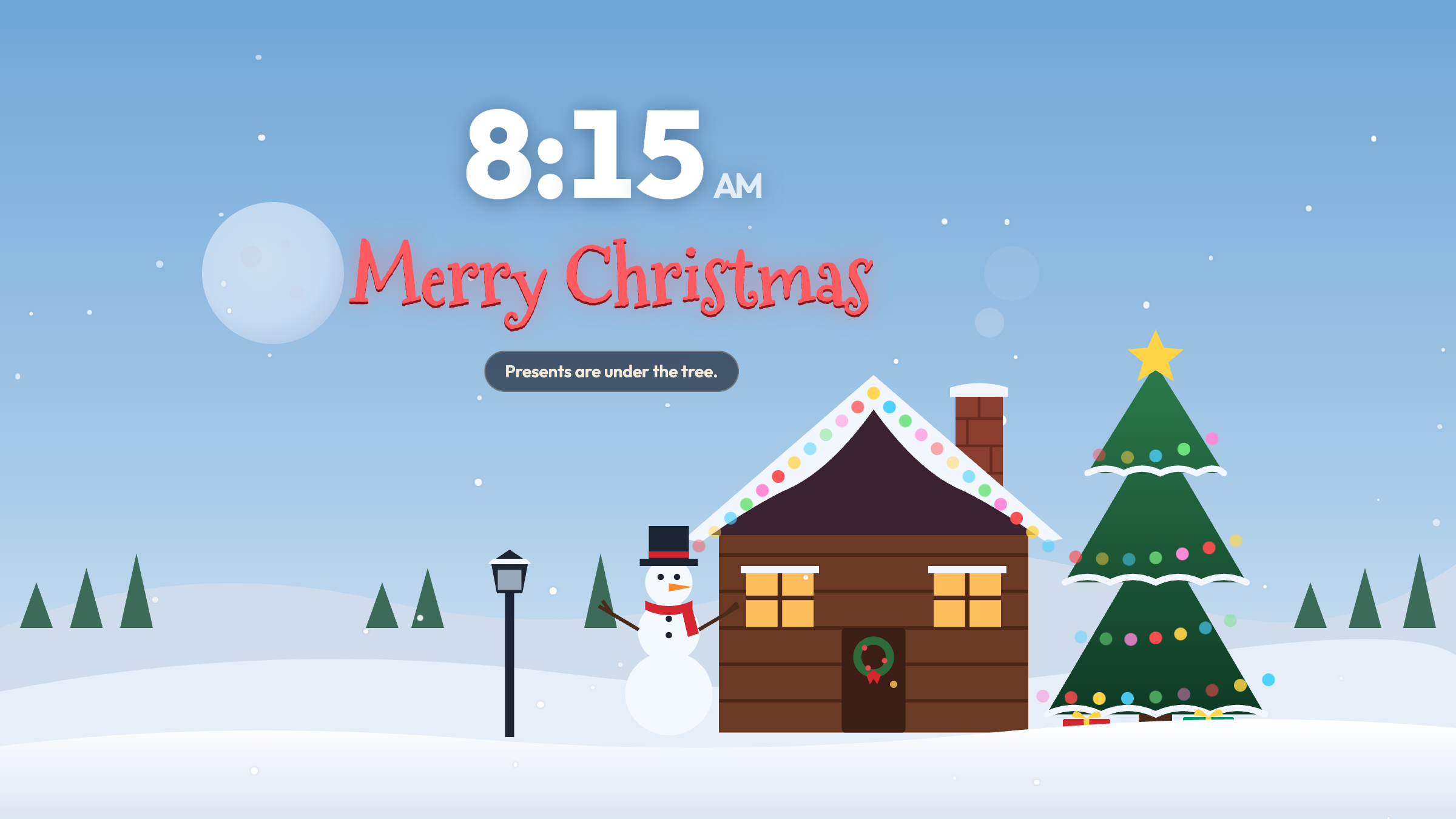
- Christmas Day: Presents under the tree and a big Merry Christmas under the clock. From the 26th the boxes are open.
- After the holidays: The snowman starts to melt and his hat lands in the snow. A small countdown to next Christmas takes over.
The sky follows the real time of day too. From 7 AM to 5 PM it is a pale winter blue; after that the stars and the moon come out. So on Christmas morning, this is what the kids wake up to:
An Advent Calendar With No Chocolate to Lose
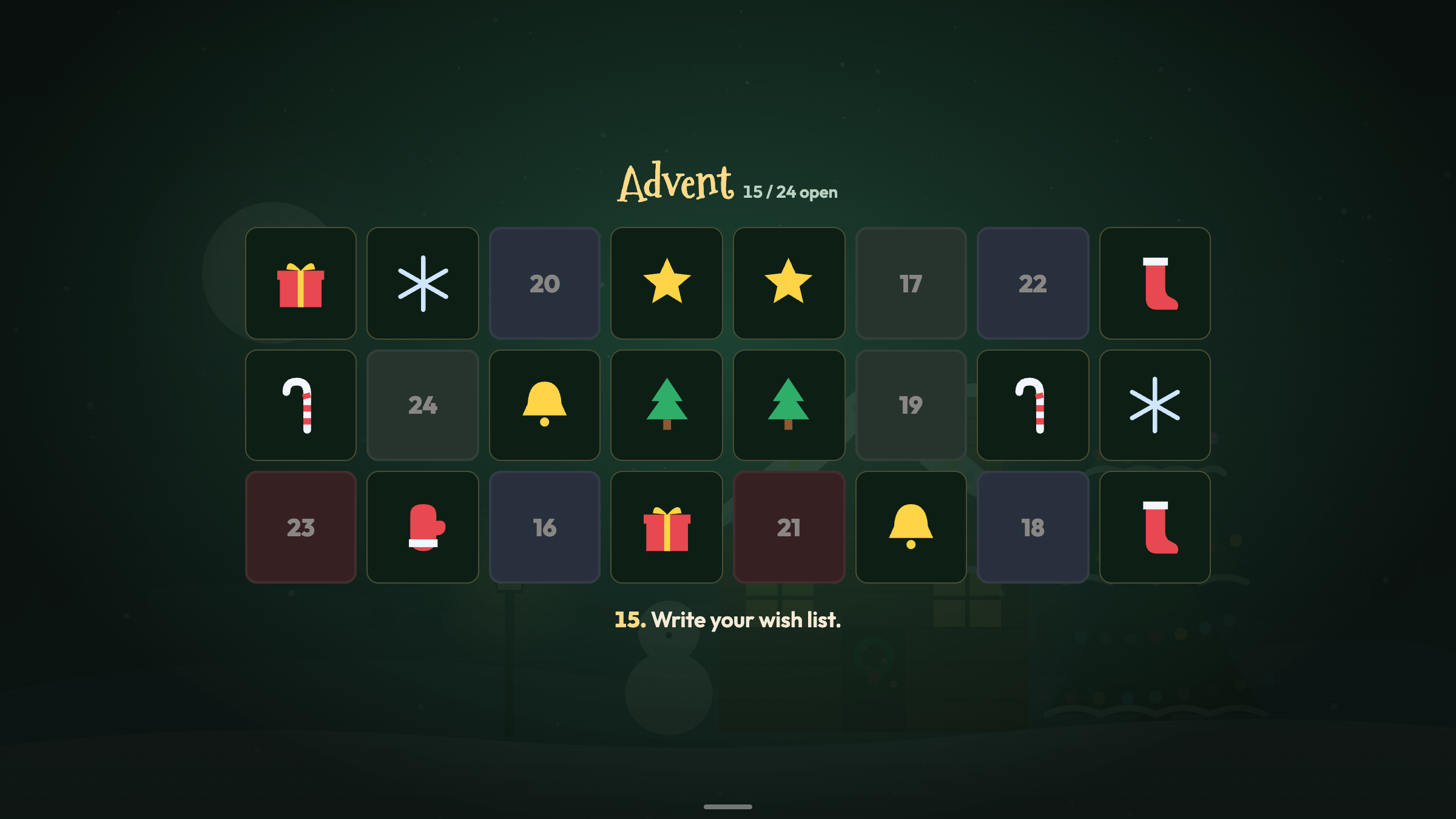
Tap the small bar at the bottom of the screen to bring up the control bar, then tap Advent. The cabin gives way to 24 doors, shuffled the way a real Advent calendar is.
- Today’s door glows, so it is easy to find.
- Future doors stay locked. Tapping one just tells you which day it opens, so nobody can open all 24 on December 2nd.
- Each door holds one small thing to do that day. A few examples: Make hot cocoa. Call a grandparent. Drive around to see the lights. On the 21st, the longest night of the year, light a candle. On the 24th, cookies and milk for Santa tonight, and the sleigh flies past.
- Opened doors stay open on that device for the rest of the season, so the calendar fills up as December goes on.
It works best as a morning routine: one door, one small thing to do, before school.
Small Surprises in the Scene
Four things in the picture react to a tap:
- The moon sends Santa’s sleigh across the sky, with sleigh bells.
- The tree wobbles, its lights flash, and a little bell chime plays.
- The chimney puffs smoke and Santa pops his head out with a ho ho ho.
- The snowman’s hat hops off his head and lands back on.
On its own, the sleigh also crosses the moon at the top of every hour.
Where to Put It
- The kitchen counter. Everyone walks past it in the morning, which is when the Advent door gets opened.
- A kid’s nightstand. From 11 PM to 6 AM the scene dims to a quiet Silent night with slower snow and softer lights, so it is not a bright screen in a dark room. (It stays bright on Christmas Eve night, for obvious reasons.)
- On an upright charging stand. Settings has Turn sideways on a dock, which rotates the scene 90° so a phone standing upright on its charger still shows the full landscape cabin.
Set It Up in Three Steps
- Wake up the old device. Plug it in and connect it to Wi-Fi.
- Open updrawer.com/app/christmas-clock in Safari or Chrome. For a full-screen view without the address bar, use Add to Home Screen from the share menu and open it from the new icon.
- Let it run all December. Check the countdown, open a door each morning, and leave the rest to the cabin.
Want to see the big night before it happens? Open Settings → Preview the big day and pick Midnight to watch the last ten seconds tick down.
Further Reading
- NORAD Tracks Santa (noradsanta.org), the long-running Christmas Eve tradition of following Santa’s route around the world.
- Encyclopaedia Britannica — Advent (britannica.com), on the history of the Advent season and its customs.
Related Articles
I Tried 30 Days of Slow Living With My Desk. Here's What Actually Changed.
A personal experiment inspired by Cal Newport's Digital Minimalism: 30 days of redesigning a workspace to remove friction and distraction. What worked, what didn't, and what stayed.
5 DIY Phone Stands You Can Make Right Now From Things Already in Your Home
You don't need to buy anything. These five clever phone stand ideas use materials most people already have at home — and they work surprisingly well for repurposed desk displays.
Rescue Your Old Phone From the Drawer
Don't let your old device gather dust. Turn your longtime companion into an aesthetic desk clock, calendar & smart display with just one click.