
Why I Put a Virtual Water Sprout on My Desk (And Finally Hit 2L Daily)
How an ambient desktop water companion on a repurposed smartphone solved my chronic dehydration without annoying notifications or smartwatch vibrations.
Like most people who spend eight hours a day in front of computer monitors, I was chronically dehydrated.
I tried everything: mobile reminder apps that buzzed every forty-five minutes, smart water bottles with flashing LED rings, and hourly calendar alerts. But within three days, classical “alarm fatigue” kicked in. A notification would ding in the middle of writing code, I’d instinctively swipe it away, tell myself “I’ll grab water after this email,” and realize five hours later that my water glass hadn’t been touched since 9:00 AM.
The human brain hates interruptions, but it responds remarkably well to ambient visual presence.
When I set an old iPhone on a wooden block next to my water tumbler and turned it into a living Water Companion, everything changed. For the first time in my adult life, drinking two liters of water a day became completely effortless.
The Psychology of Ambient Habits vs. Buzzing Notifications
Psychologists distinguish between two types of cues: Intrusive Cues (alarms, pop-ups) and Ambient Cues (objects naturally positioned in your physical environment).
When you place a dedicated water tracker in your peripheral vision:
- Zero Friction: You don’t have to unlock your phone, navigate past Instagram icons, or open an app.
- Emotional Reward: Watching your little virtual companion flourish creates a gentle positive feedback loop.
- Natural Rhythm: You glance over when you naturally pause between tasks, see the water level, and take a sip on your own terms.
3 Captivating Companions That Grow with Your Routine
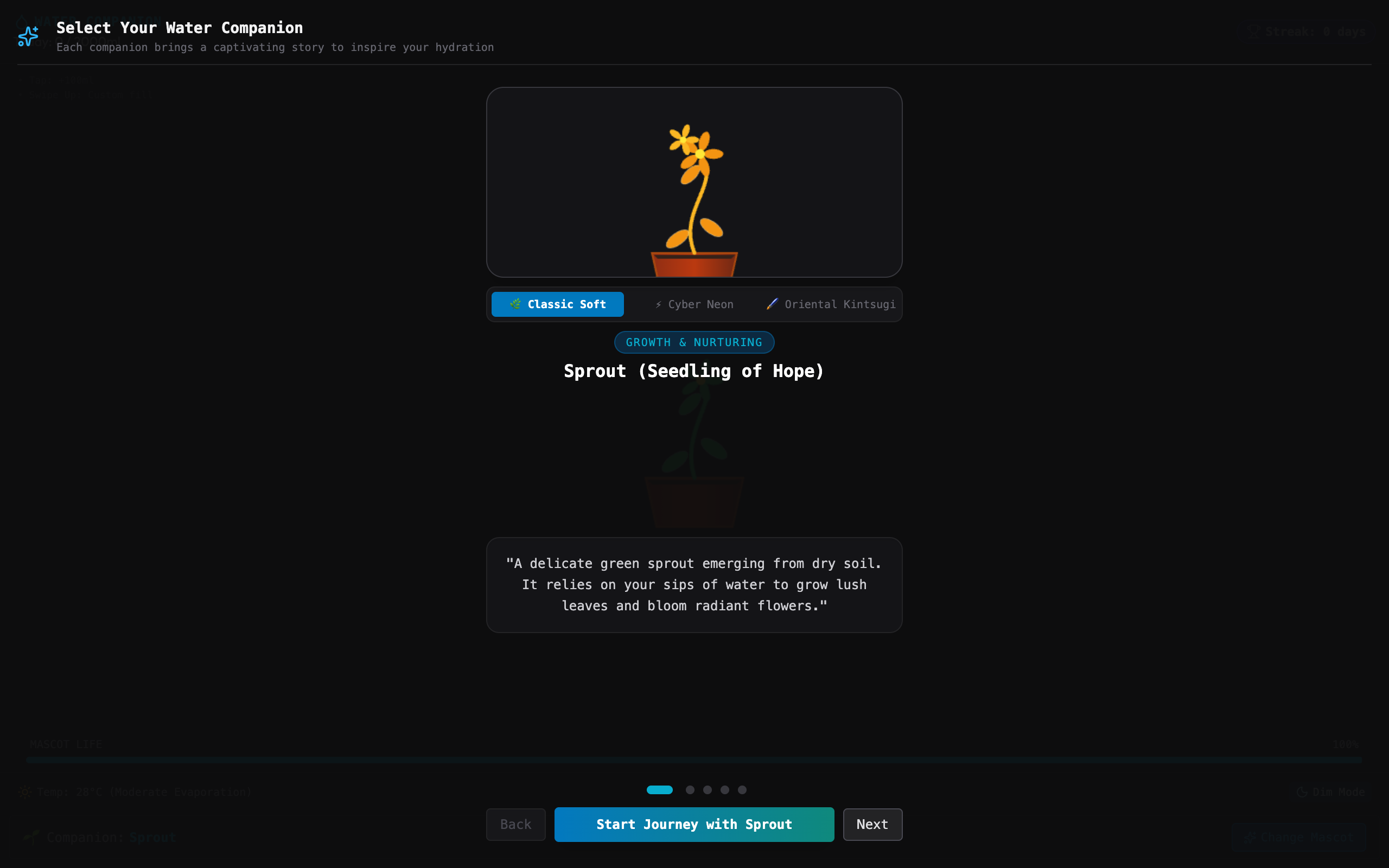
Unlike generic alarm apps that buzz with cold notifications, Water Companion visualizes your progress through three living desktop ecosystems:
| Companion | Archetype | Visual Story & Experience |
|---|---|---|
| Sprout (Seedling of Hope) | Growth & Nurturing | A delicate green seedling in dry soil that sprouts lush leaves and blooms flowers as you drink throughout the day. |
| Sacred Goldfish (Biosphere) | Harmony & Vitality | An animated goldfish swimming peacefully inside a crystal water bowl. Staying hydrated keeps the water sparkling clean. |
| Aqua Slime | Joy & Playfulness | A bouncy water droplet creature that gets rounder, happier, and performs playful particle bounces with every logged cup. |
| Zen Mini Bonsai | Mindfulness & Patience | A wise ancient bonsai inside a glass terrarium nourished by morning dew with each sip you take. |
| Ancient Mystic Vessel | Focus & Pure Energy | An oriental ceramic vase with glowing runes that radiate serene energy as the vessel fills up. |
How to Set Up Your Desk Water Station
You can turn any old smartphone or small tablet into a desk water companion in less than two minutes:
- Place by Your Bottle: Mount the phone right next to your favorite water tumbler or glass. Keeping the screen and the physical cup in the same line of sight reinforces the habit.
- Open Updrawer: Navigate to
updrawer.comon your phone’s browser and tap Water Companion. - Set Your Target: Set your daily goal (e.g., 2,000ml) and select your visual theme (Classic Soft, Cyber Neon, or Oriental Zen).
- Log with One Touch: Whenever you drink, tap the screen once to log +100ml, or swipe up for custom volume. Watch the liquid simulation and particle bubbles respond instantly!
Gentle Ambient Night Mode
When your workday ends, tapping Dim Mode dims the screen into a subtle dark OLED aesthetic with minimal glow, ready to rest until tomorrow’s morning routine begins.
If you have an old phone sitting idle in a drawer, place it next to your water bottle tomorrow morning. Your body, your focus, and your little desk sprout will thank you.
Start Hydrating with Your Desk Companion
Building a healthy hydration habit doesn’t have to feel like a chore:
- Launch Water Companion on Updrawer directly on your desk screen.
- Choose your favorite companion (Sprout, Biosphere Goldfish, or Bonsai) and set your daily hydration goal.
- Discover more screen wellness routines in I Tried 30 Days of Slow Living with My Desk.
Related Articles
I Tried 30 Days of Slow Living With My Desk. Here's What Actually Changed.
A personal experiment inspired by Cal Newport's Digital Minimalism: 30 days of redesigning a workspace to remove friction and distraction. What worked, what didn't, and what stayed.
5 DIY Phone Stands You Can Make Right Now From Things Already in Your Home
You don't need to buy anything. These five clever phone stand ideas use materials most people already have at home — and they work surprisingly well for repurposed desk displays.
Rescue Your Old Phone From the Drawer
Don't let your old device gather dust. Turn your longtime companion into an aesthetic desk clock, calendar & smart display with just one click.